
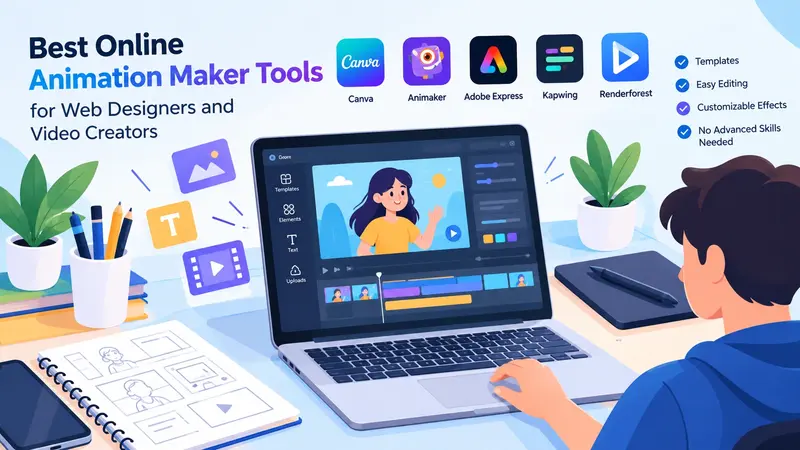
In today’s digital landscape, animation is a crucial element of engaging, captivating content. Web designers use animation to make their pages more interesting and vivid; video creators use it to explain ideas, tell stories, and draw in audiences. In content creation, the right tools let creators produce professional content without advanced technical skills, from animated logos to social media videos.
Choosing an online animation maker can simplify the creative process, as many platforms offer ready-made templates, easy-to-use editing tools, and customisable animation effects. These features let beginners learn animation and professionals create their own animations directly in a web browser. Let’s look at the best animation creator apps for web designers and video creators, their key animation features, and how to choose the best platform for different creative visions.
Animation creator apps matter for several reasons
Animation can improve how people understand and interact with digital content. The right transitions can make a website look more professional, and text animation in a video can help present information. Animations can draw attention to buttons, introduce products, and guide users to different parts of a website, all of which can benefit web designers. Animated characters, moving graphics, and visual effects can make content more engaging. These tools can also help to save time. Designers can use existing templates and modify them to fit the project’s needs instead of building all their graphics from scratch. This is a good technique for freelancers, marketing teams, small businesses, and individual content producers.
Web Designers and Video Creators Have the Best Animation Creator Apps
Each video animation platform has varying capabilities. Some support simple animated videos; others offer advanced options for professionals for website graphics and motion design.
Use Canva to create simple animated designs
Canva is a widely used design tool for creating animated presentations, social media graphics, promotional videos, and more. Its interface is ideal for users who don’t want to learn complex editing methods but still want to produce animations. Templates can be chosen, text can be added to them, images can be uploaded, and movement effects can be applied to each element. Video makers can create brief introductions, animated social media posts, and branded video elements. The platform also offers collaboration features, which come in handy when a team reviews and updates designs. Others might prefer a more specific application; however, if complex motion graphics need to be created, detailed control of them is needed.
Create animated videos with Animaker
Animaker specialises in animated video making and is equipped with features for animated explainer videos, animated characters, presentations, and marketing videos. Users can use characters, backgrounds, elements, and pre-designed scenes. These features suit businesses that need to introduce their products or services through animation. Animaker can be used by video makers to create animated videos, promotional videos, animated stories, etc., for education. Beginners can use its templates to arrange scenes without building every element from scratch. For story creation, an online animation maker with character-based features can be a lifesaver. For creators who want to make animated videos without following the conventional animation process, Animaker is a strong option.
Adobe Express for Branded Content
Adobe Express is built on tools that make design easy and help you create content quickly. The platform lets web designers create visual content for landing pages, campaigns, and digital ads. Short promotional videos can feature text, graphics, and visual elements added by the video creator. The platform also helps you maintain a uniform look and model. Users can use different colours, fonts and logos in various designs. Projects that demand fine control over the timeline and/or advanced animation controls might be better suited to professional motion design software, however.
Online video editing, Kapwing
Kapwing is a browser-based creative tool that lets you edit video, add subtitles, resize, and more. It can be used to edit video clips along with animated text, video transitions, and graphics. These features help you create short videos for social media and websites. Web designers can use Kapwing to make product demonstrations, animated announcements, and visual presentations. It can also be employed by video makers to trim and enhance pre-recorded footage as well as incorporate graphics for reinforcement of the message. The browser-based workflow is great for those who work across multiple devices. Users don’t have to rely on a single computer; they can open their work in a compatible browser. For video creators who want to use animation in their video-editing workflow, Kapwing is a valuable resource.
Nicepage for a website
Renderforest offers online tools to create animated videos, animated logos, presentations, and other branding assets. Its templates can be utilised by businesses to create promotional videos and visual introductions. Freelancers can also develop animated logos and branded materials for projects. The website platform could be useful for web designers when creating presentation materials or promotional materials for when a website is launched. It can be used by video producers to make introductions, adverts, and short explanations. Templates may increase production ease, but users should attempt to design in a fashion that prevents creating a production that is “the same” as any other production. If you need something fast with a strong branding touch, Renderforest may be a good choice.
Some of the important features to look for in animation apps are
It’s not simply about the number of templates available on different platforms; there is much more to it. Creators need to consider their workflow, technical skills, and project needs when choosing tools.
This feature allows you to easily edit and navigate
A simple interface can make animation more accessible. Drag-and-drop editing, well-structured menus, and timelines help users to work efficiently. For beginners, look for a platform with a clear overview and helpful tutorials. More complex tools suit experienced designers who need more precise control.
Templates and Customisation
Templates save time, especially for social media videos, ads, and website graphics. But customisation is also crucial. Users should be able to customise colours, fonts, backgrounds, timings, and graphics with their brand identity. Good online animation software must balance ready-made designs with flexibility to create custom animations.
Export Options & Video Quality
They may be working on a different project, and that might require a different file format. Website animations might need to be lightweight, while social media videos may require specific dimensions and formats. On websites, lightweight files may be required, while on social media platforms, certain dimensions and formats may be required. The animated assets or transparent backgrounds might also be required for some projects. Before starting a project, check the platform’s export restrictions. This is especially true if you intend to use the free version.
Compatibility Across Devices
Web designers and video makers often work on a laptop, desktop computer, tablet, or mobile device. A browser-based platform may be more convenient than downloading large software packages. Being able to work on the project and make quick adjustments on the go helps when you’re away from a computer. However, more sophisticated editing is often easier on a desktop because of better controls and a larger screen.
How Web Designers Can Use the Animation Creator App
Web designers can use animation to enhance visual communication and guide visitors through the site. This can be achieved with animated banners, interactive demonstrations, and the help of moving illustrations to help explain a product or service. For instance, a web designer for a software firm could create a brief animation showing how the software works to support a landing page. A nifty animation can highlight a feature without requiring a lengthy explanation. Web designers can also build promotional graphics for seasonal promotions and product launches to be used as animation. But use animation for a good reason. Too much movement can distract from the website, slow load times, and make navigation more difficult. Accessibility should be part of the design process, and you should consider providing reduced-motion options when appropriate.
Video creators can reap the benefits of animation apps in abundance
Diagrams and moving illustrations can be used to help animate complex concepts for educators. Features can be animated to highlight benefits for marketing professionals. With moving text and branded elements in short videos, creators can make them more recognisable to the social media brand. An online animation maker can simplify these tasks by providing animation tools, visual assets, and templates in one place. Consistency is crucial across videos; creators should use the same style. Use fonts, colours, transitions, and animation speed that are matched to bring a professional finish to production.
Here are some guidelines to help you select the ideal animation platform
Start by choosing the type of animation you want to create. Simple promotional videos may need only basic tools, while character animations and motion graphics require advanced features. Compare pricing plans and check for limits on video length, exports, templates, and watermarks. Also, consider storage, integrations, and reusable brand templates. Before paying, create a short animation, export it, and test how it looks on your audience’s devices.
Common Mistakes to Avoid When Creating Animation
Many common errors include adding too many effects. Depending on the type of video you want to post, you may need different dimensions and export settings for a web banner, a vertical social media video, or a presentation animation. Creators should also avoid varying fonts, colors, and animation speeds. Excellent visual style makes content easier to identify and understand. Learn more about technology.
Conclusion
Web designers and video creators can easily create engaging digital content with animation creator apps. Several platforms offer tools for creating animated graphics, promotional videos, and branded content, including Canva, Animaker, Adobe Express, Kapwing, and Renderforest. The ideal choice depends on your objectives, experience, budget, and preferred workflow. Sometimes the simplest animation works best! Choose the animation that helps the audience grasp the message and take the next action.